
MLS Photo Disclosure Requirements for Photographers: What You Must Know About Edited Images
The Rule Nobody Warned You About at Your First Real Estate Shoot
You delivered a gorgeous set of listing photos. The agent loved them. The property went live. Then, two weeks later, a buyer's agent filed a complaint with the MLS board — not because the photos were bad, but because a virtually staged living room wasn't labeled as such.
This scenario plays out more often than the industry admits, and the liability almost always lands on the photographer or the listing agent. As AI-assisted editing, virtual staging, and day-to-dusk conversions become standard workflow tools, MLS photo disclosure requirements for photographers have moved from a niche concern to an everyday professional responsibility.
This post breaks down what you actually need to know — the specific edits that trigger disclosure obligations, how different MLSs handle labeling, and what a clean delivery workflow looks like when altered images are involved.
Why MLS Disclosure Rules Exist in the First Place
MLS systems are governed by NAR's Clear Cooperation Policy and, more specifically, by each regional MLS's own rules — which means there is no single national standard. What does exist is a shared principle: photos must not materially misrepresent the property as it exists at the time of listing.
The operative word is "materially." Color correction and basic brightness adjustments are universally accepted. Removing a power line from an exterior shot typically is not. Adding furniture that doesn't exist, swapping an overcast sky for a sunset, or digitally erasing a water stain on the ceiling all cross a line that a growing number of MLS boards are actively enforcing.
When they catch a violation, it's the listing broker's license on the line — but it's your relationship with that agent that takes the first hit.
The Three Edit Types That Trigger Disclosure
1. Virtual Staging
This is the most regulated category. Any image that shows furniture, décor, or fixtures that are not physically present in the property at the time of listing must be labeled. The most widely accepted label — and the exact phrase many MLS boards specify in their written rules — is "Virtually staged."
This label needs to appear:
- In the MLS photo caption field, not just embedded invisibly in metadata
- On every individual altered image, not once as a blanket disclaimer in the listing description
- Before the listing goes live, not added retroactively if someone asks
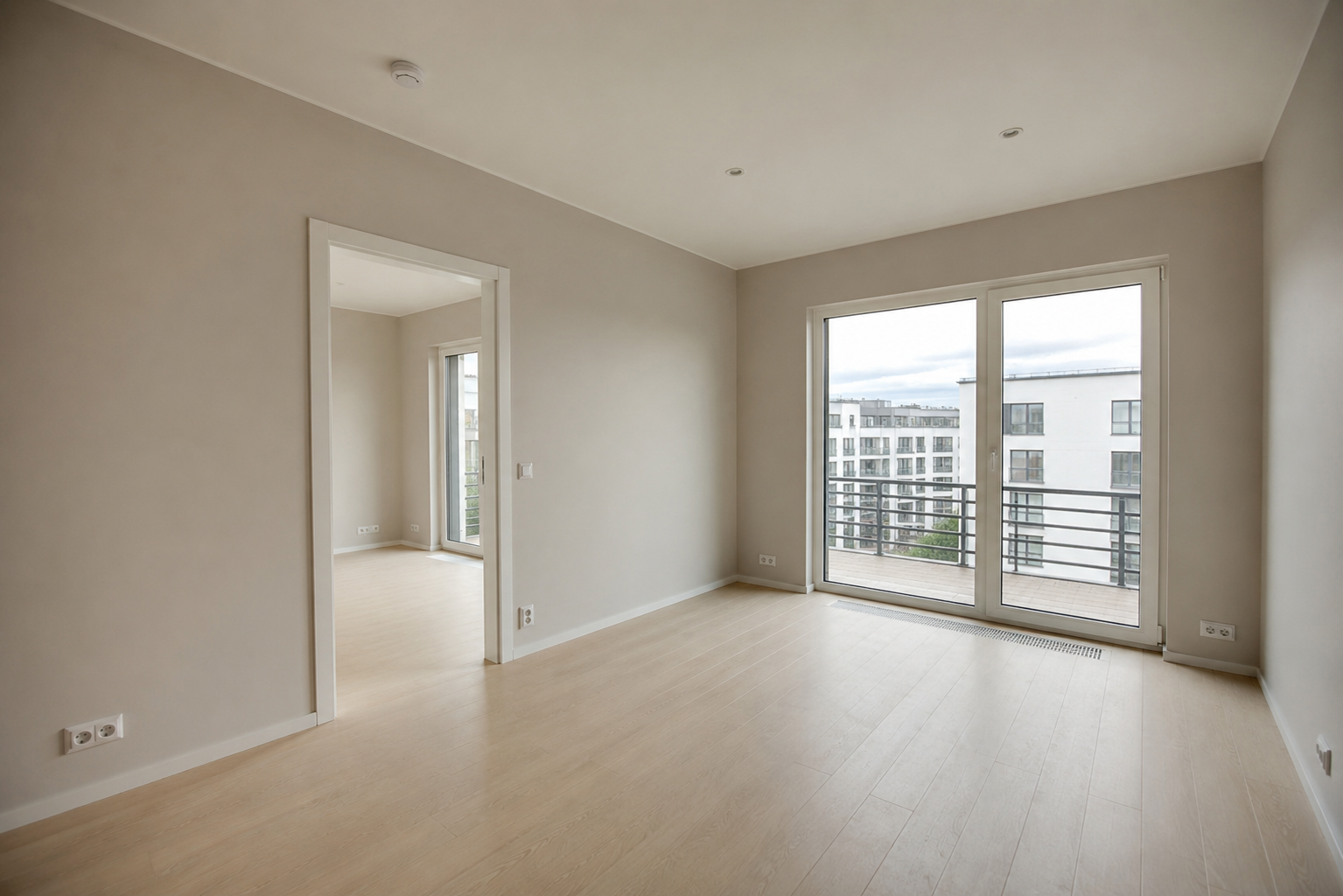 Living room as it was shot on-site.
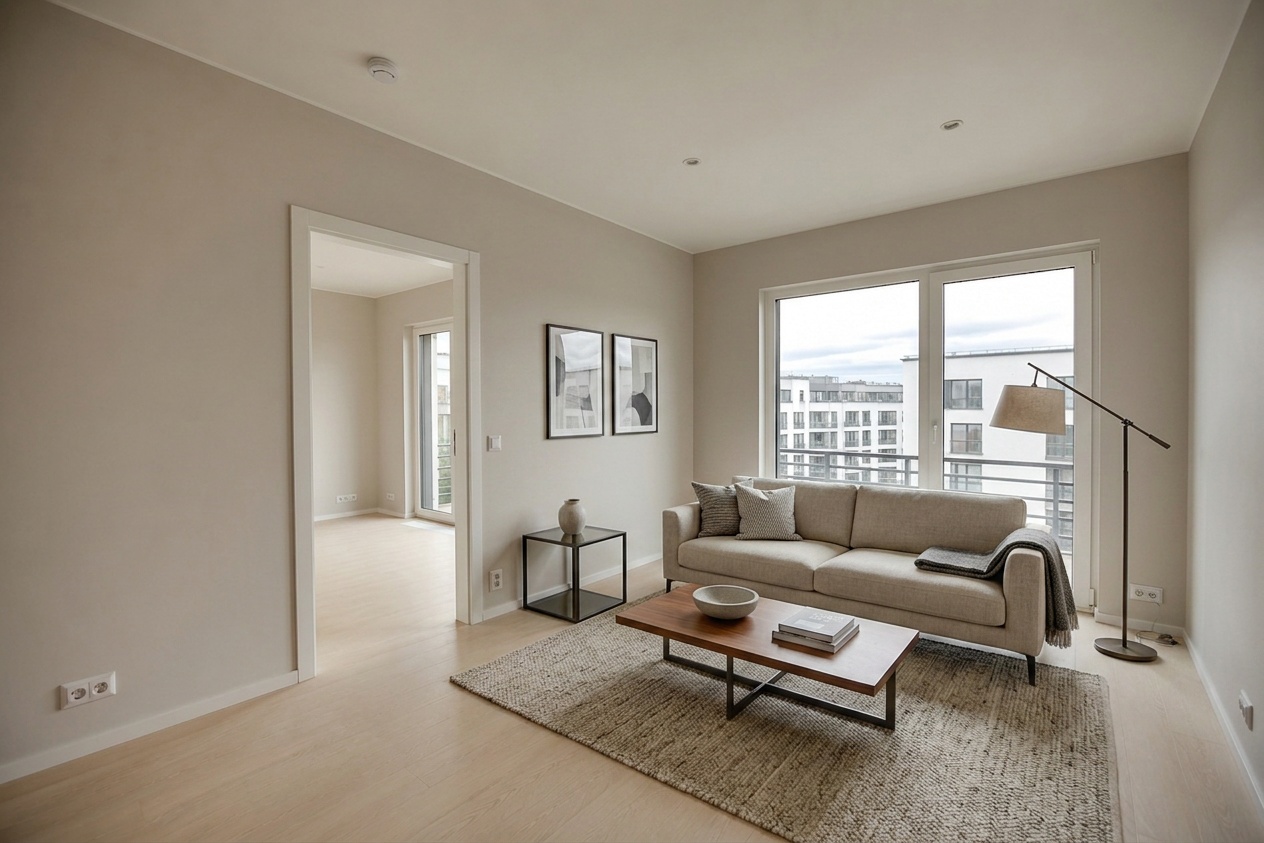 Virtually staged — this label must appear in the MLS caption for this image.
Some regional MLSs go further and require a specific prefix format in the photo title field. Check your primary MLS's rulebook — most publish it as a PDF in the member portal.
2. Day-to-Dusk Conversions
Sky replacement and time-of-day conversions occupy a gray zone that's getting less gray every year. A raw exterior shot transformed into a glowing dusk scene is no longer a photograph of how the property looks — it's a composite.
Several major MLS boards now require a "Day to dusk" label on any exterior image where the sky, ambient lighting, or time of day has been digitally altered. The logic is the same as virtual staging: a buyer should not arrive at a showing expecting a sunset view when the home actually faces a parking structure.
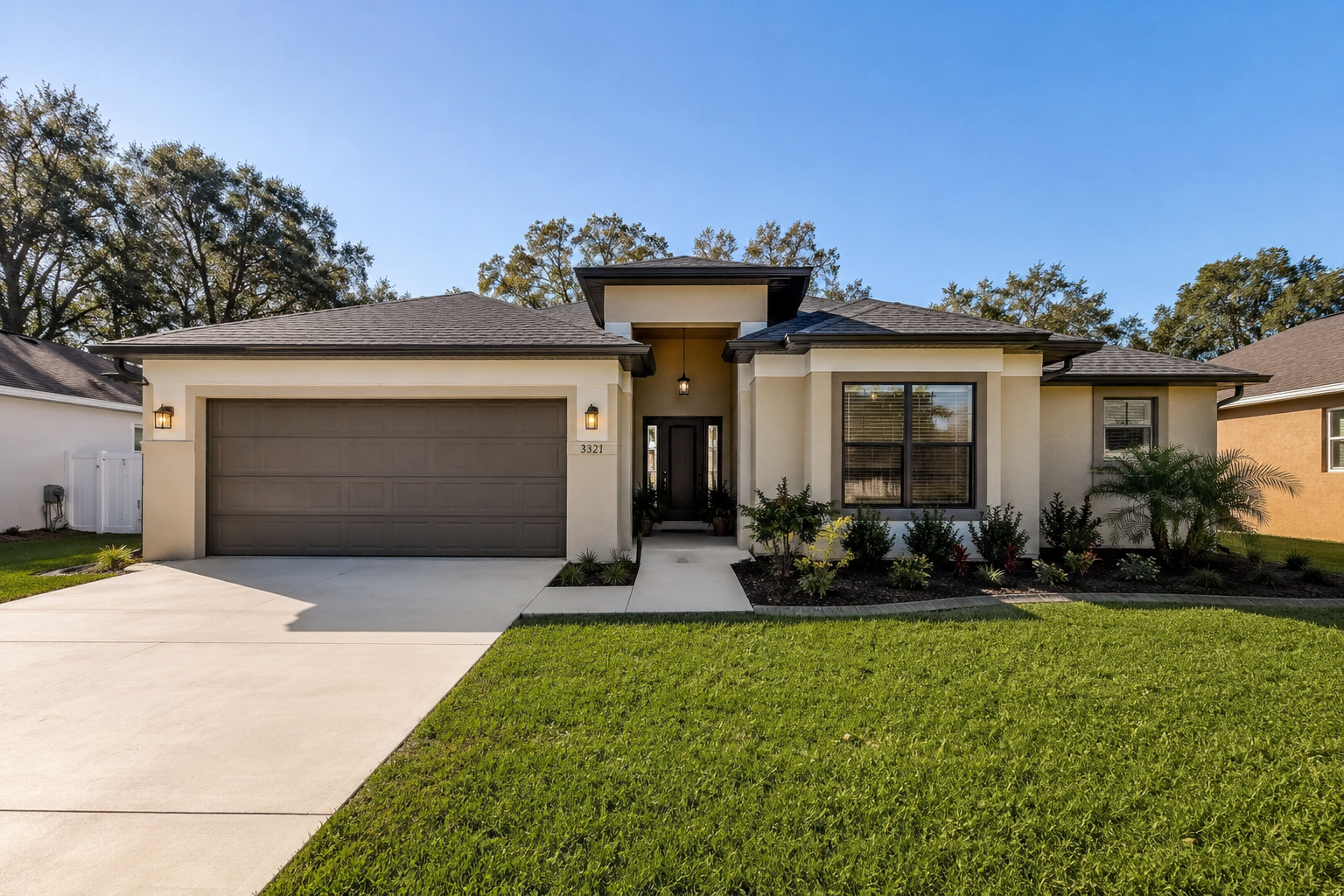 Original daytime exterior captured on-site.
 Day to dusk conversion — label required in the MLS caption.
3. Object Removal
This is the category most photographers underestimate. Removing a piece of furniture is obvious. But object removal also includes:
- Erasing cars from driveways
- Removing trash bins or utility meters
- Digitally filling in a hole in a wall or carpet
- Eliminating a "For Sale" sign from a neighboring yard
NAR's ethics guidelines, and by extension most MLS rules, treat these edits as potentially deceptive if they conceal a physical condition of the property. Removing clutter a seller left on a counter? Probably fine. Removing evidence of a crack in the foundation that happened to appear in frame? Absolutely not.
The practical rule: if the edit changes what a buyer would physically encounter at a showing, it requires disclosure.
Building Disclosure Into Your Delivery Workflow
Knowing the rules is step one. Embedding them into your production process so nothing slips through is step two.
Here's a concrete workflow beat that prevents compliance gaps:
Assign a room type on every photo before you generate any edit. Whether you're working in a dedicated listing media platform or managing files manually, labeling each image by room type at intake forces you to think categorically about which shots will receive alterations. A living room tagged for virtual staging is a living room you know needs a disclosure caption. A bedroom tagged for dusk conversion doesn't exist — which also tells you something.
From there, a clean delivery structure looks like this:
-
Stills review gate before clips continue. All virtually staged and day-to-dusk stills are reviewed and approved by the agent before any video or tour assets are generated from the same room. This prevents a situation where a disclosure issue in a still propagates into a walkthrough video with no label.
-
Delivery ZIP with labeled stills, clips, tour, and disclaimer. Every deliverable package should include a plain-text or PDF disclaimer file that lists which images were altered, what type of alteration was applied, and the suggested MLS caption language for each. This gives the agent no excuse for mislabeling — and gives you documentation that you provided the information.
Some photographers go one step further and include caption language directly in the filename: living-room-virtually-staged.jpg rather than IMG_0047.jpg. It's a small habit that makes a real difference when an agent is uploading thirty photos at midnight before a morning launch.
What Happens When an Agent Skips the Label
Here's the uncomfortable part: even if you deliver perfectly labeled images with clear caption instructions, an agent can upload them to the MLS without the required disclosures. At that point, the MLS violation is the broker's problem — but if a buyer pursues civil action claiming they were misled, your delivery documentation is what establishes that you fulfilled your professional obligation.
This is why the disclaimer file in your delivery ZIP is not optional. It's your paper trail.
Building a relationship with your agents around this also pays off long-term. Photographers who educate their clients on disclosure requirements become trusted partners, not commodity vendors. Agents who have been burned by an MLS complaint once are desperate for a photographer who makes compliance easy.
A Quick-Reference Disclosure Checklist
Before you hand off any listing with edited images, confirm:
- Every virtually staged photo has "Virtually staged" in the recommended caption language
- Every day-to-dusk exterior has "Day to dusk" in the caption language
- Object removal has been reviewed against the property's actual condition
- Agent has received written caption suggestions, not just image files
- A disclaimer document is included in the delivery package
- You have a record of delivery (email timestamp, shared folder link, platform receipt)
Protecting Your Work Starts at Intake, Not Delivery
The photographers who never have a disclosure problem aren't the ones who edit less — they're the ones who built a system. They know which images were altered, they document it, and they hand their agents the exact language needed to stay compliant.
If you're looking for a platform that structures this kind of workflow natively — room-type assignment, labeled deliverables, and organized output that separates stills, clips, and tour assets — explore what Itsbundle is built to do for listing photographers. Start with a listing and see how the workflow handles the disclosure logic before you need it.
The MLS board won't warn you before they file a complaint. Build the system now.